Article
Local Search for a Multi-Office Accounting Practice
Two offices on one contact page is why a firm ranks in one city and not the other. Here is how to structure a multi-office practice for local search.
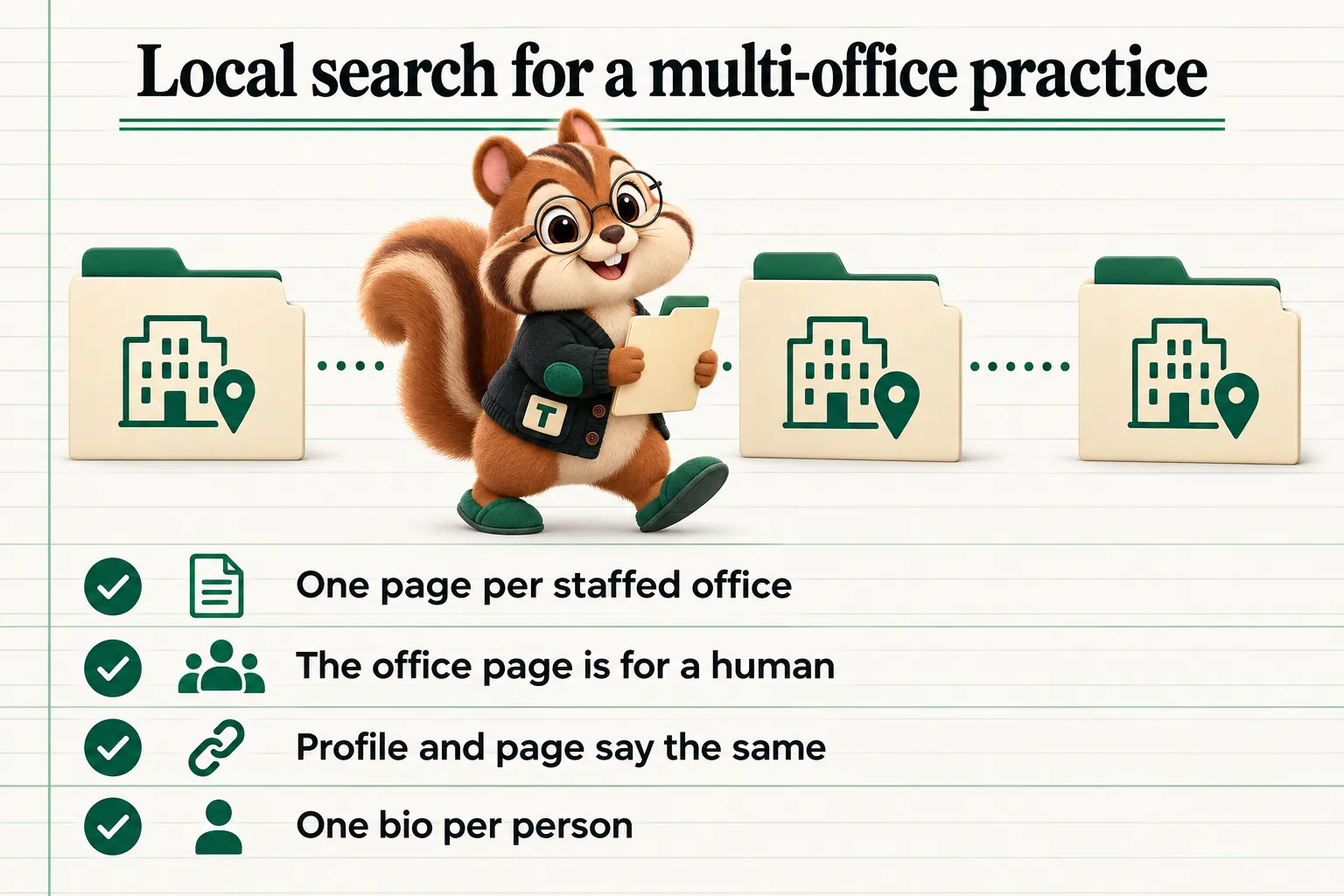
A firm with three offices and one contact page has, as far as local search is concerned, one office. Everything that would help the practice appear for searches in the second and third cities is compressed into a list of addresses in a footer, which is the least useful place on a website to put anything.
The fix is structural and it is not complicated. Each real office gets a real page. Each of those pages carries the things a search engine and a human both need. The profiles and the pages agree with each other. That is most of the work, and it is work most multi-office practices have never done.
Why the Single Contact Page Fails
A search engine matches pages to queries. That is the mechanism described in Google’s own documentation on how Search works: pages are crawled, indexed, and then served against a specific query. When someone searches for an accountant in a particular city, the system is looking for a page that is specifically about being an accountant in that city.
A contact page listing three addresses is not specifically about any of them. It is about contacting the firm. It will rank, weakly, for the firm’s own name and possibly for the city where the head office sits, because that is where most of the rest of the site’s signals point. The other two cities have almost nothing to work with.
This is the same underlying problem as a single combined services page, and it has the same shape of solution. A page that tries to be relevant to three cities at once is less specifically relevant to each of them than three dedicated pages would be.
What an Office Page Actually Needs
An office page is not a stub with an address on it. Done properly it is one of the most useful pages on a firm’s site, because the person reading it is often about to visit.
The Practical Details, Above the Fold
- The full address, formatted the way the postal service formats it, as text rather than inside an image.
- A telephone number for that office, if the office has one.
- Opening hours, including how they change during the busiest part of the year.
- How to get there and where to park. Genuinely useful, almost never present, and the single most appreciated paragraph on most office pages.
- Accessibility details: step free access, lifts, accessible parking, and whether an appointment is needed to get into the building.
- A map, loaded so that it does not slow the page down, with a link out to directions.
The People
The reason someone chooses one office over another is usually the people in it. List the team based there, with links to their own pages. This is also the section that most often causes duplication problems, which is worth handling deliberately.
Give each person exactly one page. Link to it from every office page they work out of. Do not copy a partner’s biography onto two office pages, because you then have two competing versions of the same content and two places to update when anything changes. A short card with a name, a role, a photograph and a link is enough on the office page itself.
What This Office Actually Does
Offices within a firm are rarely identical. One might carry the audit practice, another might be where the payroll team sits, a third might handle the bulk of the individual work. Say so. A visitor deciding which office to contact is trying to answer exactly that question, and a page that answers it is more useful than one that repeats the firm’s full service list three times.
Link from each named service on the office page to the service page that describes it properly. The office page says who does it here; the service page says what it is.
Something Local and True
The weakest office pages are identical templates with the city name swapped. The easiest way to avoid that is to include something that is only true of this office: when it opened, the building it is in, the industries concentrated in that area that the office does a lot of work for, the local business organisations the team is part of.
This is not a trick to please a search engine. It is the content that makes the page worth reading, and it is the content a competitor cannot copy.
Business Profiles and the Consistency Problem
Each staffed office that serves clients in person generally warrants its own business profile, managed from a single account. Google’s guidelines on representing a business set out what qualifies, and the important rule for accounting practices is that a location needs to be staffed during its stated hours and able to receive clients. A virtual office or a mailbox does not qualify, and creating listings for addresses the firm does not occupy risks the listings that are legitimate.
The part that breaks most often is not creation, it is consistency. The firm name, the address and the telephone number should be identical on the profile and on the office page, character for character. “Suite 200” on one and “Ste. 200” on the other is the kind of small inconsistency that is easy to create, invisible in day to day use, and unhelpful when a system is trying to establish that two records describe the same business.
A simple discipline solves it: treat the office page on the website as the master record. Any change goes there first, and then to every profile and directory listing, with a list of where those listings are kept somewhere the practice can actually find it.
The same rule applies to opening hours during the busy season. If the office runs extended hours for part of the year, both the page and the profile should say so, and both should be changed back afterwards. An office listed as open at a time nobody is there produces exactly one outcome, which is a client standing outside a locked door.
Structured Data, Done Honestly
Local business structured data helps a search engine understand what an office page describes. For an accounting practice, AccountingService is the specific type available, and it inherits the properties of a local business: name, address, telephone, opening hours, geographic coordinates, and the area served.
Two rules keep this out of trouble.
Mark up only what is visible. Structured data should describe the content a visitor can actually see on the page. Adding opening hours to the markup that do not appear anywhere in the visible copy is the most common mistake, and it is the kind of thing that gets a site’s enhancements ignored.
One page, one location. The markup on an office page describes that office. Do not put every location into the markup on one page, and do not put the head office details on every page of the site.
Review markup deserves a specific warning in this sector. Aggregate ratings should only ever describe reviews that genuinely exist and are genuinely visible. Illustrative testimonials, which are common and perfectly legitimate on professional services sites when they are clearly labelled as illustrative, must never be marked up as reviews.
Service Areas Without Fake Offices
Most multi-office practices serve clients well beyond the cities they have buildings in, and it is reasonable to want pages that reflect that. The line to hold is simple: a page may describe an area the firm serves, but it must never imply an office exists where one does not.
A service area page that works usually contains:
- A plain statement that the firm serves this area from a named office, with the distance or travel time.
- What working with the firm looks like for a client in that area, particularly whether meetings are remote, at the client’s premises, or at the office.
- Something genuinely specific about doing business there: the industries concentrated in the area, the mix of entity types, anything about the local economy that changes the work.
- A route into the relevant service pages and to the office that covers it.
A service area page that does not work is a template with a place name substituted in, repeated forty times. Those pages are transparently thin, they dilute the site, and they are the reason many firms have a directory of near identical pages that have never earned a visit.
A useful constraint: only write a service area page for an area the firm can name actual clients or actual work in. If nobody at the practice can think of anything specific to say about the place, the page has nothing to offer a reader either.
Internal Linking Between Offices
The links between office pages matter more than they appear to. A firm with three offices should read as one practice with three locations, not as three unconnected sites.
Practically:
- Every office page links to the others, in a consistent place, with the city name as the link text.
- The main navigation includes a locations entry that leads to either an index of offices or, for two locations, directly to them.
- Service pages mention which offices carry that service and link to them.
- Team pages link to the office that person sits in.
- The footer keeps the addresses, because visitors look there, but the addresses link to the office pages rather than being the only version of them.
The Head Office Problem
Multi-office firms almost always have one location that quietly dominates the site. It is usually the oldest office, it is in the address at the top of every page, it is where the main telephone number rings, and over time every signal on the site has come to point at it.
That is fine for the head office and unhelpful for everything else. The symptom is a firm that ranks respectably in one city and is invisible two towns over, despite having a staffed office there for years.
Three habits cause it, and all three are fixable.
The universal address. A single address in the site footer or in the header on every page tells anything reading the site that this is where the business is. If the firm has three offices, the footer should carry all three, each linking to its own page, or none of them with a link to a locations index instead.
Head office contact details everywhere. If every contact prompt on the site leads to the main switchboard, the other offices never accumulate any association with their own numbers. Contact prompts on an office page should lead to that office.
Everything written from head office. Team pages, articles and service pages produced entirely by one location leave the others as addresses rather than as practices. The cheapest correction is authorship: when someone from a regional office contributes to a piece, credit them and link their page, which links the office.
None of this is about diminishing the main office. It is about making sure the other locations have enough of their own substance to be found at all.
Knowing Whether It Is Working
Local performance is measured differently from the rest of a site, and the most common mistake is to judge it on total traffic.
The signals worth watching are all available without additional tooling.
Queries containing a place name. Search Console will show which searches with a city or region in them bring people to the site, and which pages they land on. The goal state is each office page receiving the searches for its own city. A head office page receiving searches for all three is the problem this article describes, visible in a report.
Business profile actions rather than views. Views tell a firm how often a listing appeared. Actions, meaning calls, direction requests and clicks through to the site, tell it whether the listing was useful. A profile with many views and almost no actions usually has something wrong with the details rather than the visibility.
Direction requests by office. A useful proxy for whether the right people are finding the right location, and a quick way to notice that two offices have been swapped in a listing somewhere.
Enquiries by office. The number that actually matters, and the one that requires a small amount of setup: the enquiry route on each office page should be distinguishable, whether by a different form destination, a tracked route or simply a hidden field naming the office. Without it the practice cannot tell which locations the website is actually feeding.
Expect this to move slowly. Local results change over months rather than weeks, and the practice should look at them quarterly rather than weekly. What matters is direction, and the direction is usually set by whether the underlying structure is right, not by any individual adjustment made afterwards.
Opening and Closing an Office
Two events break a multi-office setup more often than anything else, and both are predictable enough to plan for.
Opening an office is the easier of the two and still tends to go wrong, usually because the website is the last thing anybody thinks about. The page should exist before the office opens, with the opening date stated, so that it has time to be discovered. The profile should be created once the location is genuinely staffed rather than in advance, because a listing for an empty building is a listing for an empty building. And the new office needs to be added everywhere the others appear, which is the step that gets missed: the footer, the locations index, the relevant service pages and the team pages of anyone moving there.
Closing or merging an office is the one that causes lasting damage when handled badly. The failure mode is deleting the page, which leaves every link to it broken and discards whatever the page had accumulated. The correct handling is to redirect the page to whichever office now serves that area, update the profile to reflect the closure rather than removing it, and leave a short, honest explanation where clients of that office will look for it. A firm that consolidates two offices into one and handles the redirects properly keeps the value of both. A firm that deletes a page loses it.
An Order of Work
For a practice that currently has one contact page and several addresses in a footer, the sequence that gets results fastest:
- Build one page per staffed office, with the practical details, the team based there and something specific to that location.
- Link them from the navigation, the footer and the relevant service pages.
- Claim or correct a business profile for each office, matching the pages exactly.
- Fix the name, address and telephone format everywhere else it appears.
- Add the structured data, describing only what is visible on each page.
- Only then consider service area pages, and only for areas with something real to say.
The first two steps are the ones that change the most and are the least often done. A firm that does nothing but build three genuine office pages and link them properly has already moved from having one location as far as a search engine is concerned to having three.
Our own multi-office page sets out how we handle this on sites we build, and the structural principle behind it is the same one covered in our article on structuring a multi-service firm site: each real thing the firm has gets a real page, rather than a line in a list.
Sources
Frequently asked questions
Does each office need its own page?
Yes, if the office is a real, staffed location that a client can visit. A dedicated page gives a search engine something specific to match against a search that includes that city, and gives a visitor the address, the hours, the team and the parking details they actually came for.
Can we create pages for cities where we do not have an office?
You can write about the areas you serve, but a page should never present a location as an office when it is not one, and a business profile should not be created for an address the firm does not staff. Google's guidelines on representing a business are explicit about this, and the risk of getting it wrong is losing the listings that are legitimate.
Should each office have its own Google Business Profile?
Each staffed location that serves clients in person generally warrants its own profile, managed under one account, with details that match what the office page on the website says. Consistency between the two is the part that most often breaks.
How should partner and staff bios work across offices?
Give each person one page, and link that page from every office they actually work out of. Duplicating the same bio onto two office pages creates two competing versions of the same content, and a partner who moves office then has to be updated in several places.
What structured data belongs on an office page?
A local business type such as AccountingService, with the office's own name, address, telephone number, opening hours and geographic details, matching exactly what a visitor can see on the page. Marking up details that do not appear in the visible content is the most common way this goes wrong.
Closing entry
Want a site built the way this article describes?
A live, 30-minute walk-through of the site GetAccountingWebsite would build for your firm.