Article
Turning a Website Enquiry Into a Booked Engagement
Most accounting firms lose enquiries between the form and the first call. Here is the intake path that stops it, from the form field to the follow up.
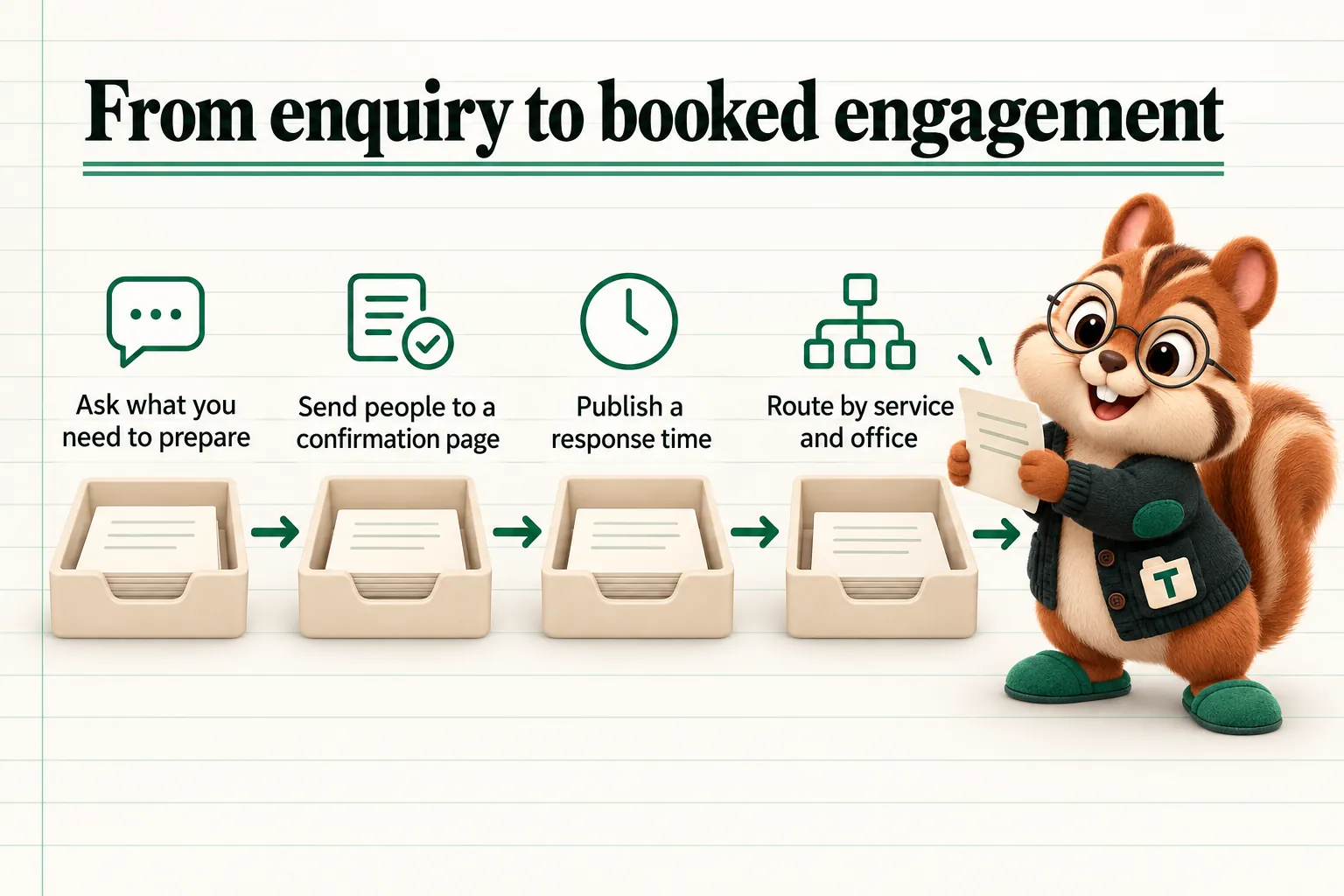
The gap between a visitor deciding to contact an accounting firm and that firm having a booked engagement is where most website value is lost. The traffic arrives, the pages do their job, somebody fills in a form, and then the path gets vague: an email lands in a shared inbox, somebody replies eventually, a few messages go back and forth about scheduling, and a proportion of genuinely interested people quietly go elsewhere.
None of that is a marketing problem. It is an operations problem that happens to start on a website, which means a good part of it can be fixed on the website.
What the Form Is Actually For
The purpose of an enquiry form in an accounting practice is not to capture a lead. It is to make the first conversation short and useful. Every field should earn its place against that test.
That reframing changes what gets asked. A form designed to capture a lead asks for a name, an email and a message, because those are the minimum required to start a sales process. A form designed to shorten the first conversation asks the things the firm would otherwise have to establish by email before it could say anything specific.
For a bookkeeping enquiry, that usually means:
- Name and how to reach them.
- What kind of business, in their own words rather than from a dropdown of entity types they may not know.
- What they are looking for: ongoing monthly work, catching up, a one off piece, or not sure yet.
- Roughly how far behind things are, if at all.
- What software the books are in, with an option for “not sure” and an option for spreadsheets.
- Which office or area they are in, if the firm has more than one.
- Anything else they want to say.
That is seven questions. Someone motivated enough to contact an accounting firm will answer seven questions. What loses them is not length, it is questions that feel like an interrogation or that they cannot answer.
The Questions Not to Ask
Budget. Most buyers of accounting services genuinely do not know what the work should cost. Asking makes them feel exposed and produces answers that are not useful. Ask instead about the things that drive the fee, which the firm can price from directly.
Anything you will ask again anyway. If the first call re-establishes everything on the form, the form was theatre. Either use the answers or stop asking.
Anything sensitive. A public web form is not the place for tax identification numbers, dates of birth, or financial account details. If the firm needs those to begin work, they belong in a secure portal after the engagement is agreed, and the form should say so rather than leaving people to wonder.
Too many required fields. Mark as required only what you truly cannot proceed without. Everything else being optional raises completion, and people who have something to say generally say it.
Build the Form So It Actually Works
The mechanics matter more than they get credit for, and a surprising number of firm sites have forms with real defects that nobody has noticed because nobody tests their own form.
A working form has:
A visible label on every field. Not a placeholder that disappears when typing starts. Placeholders as labels are one of the most common accessibility failures on professional services sites, and they also cause ordinary mistakes for people who look away mid-form.
Correct input types and autocomplete. An email field that brings up the email keyboard on a phone, a telephone field that brings up the number pad, and autocomplete attributes so a browser can fill in a name and address. This costs nothing and materially reduces effort.
Errors that say what to do. Attached to the field, in text, describing the fix rather than announcing that something is invalid. The MDN reference on client-side form validation covers the mechanics, but the editorial point is simply to write errors in sentences.
Keyboard operation end to end. Tab through the entire form, submit it with the keyboard, and check that focus goes somewhere sensible afterwards. The WCAG guidelines treat this as basic, and it is also how a meaningful share of people fill in forms.
Targets big enough to hit on a phone. Fields and buttons that are comfortably tappable, with enough space between them that a thumb does not hit the wrong one.
A submit button that says what happens. “Send my enquiry” is better than “Submit,” which is better than an arrow icon with no text.
Where the Enquiry Goes
The most expensive failure in the whole path is the shared inbox that nobody owns. An enquiry arrives, three people see it, each assumes one of the others has it, and it is answered two days later or not at all.
The fix is routing at the point of submission rather than forwarding afterwards. The form already knows which service was selected and which office was chosen, so it can be delivered to the right person directly, with a named owner and a copy to a second person so that absence does not stall it.
Practically, that means:
- Each combination of service and office resolves to a named owner.
- The delivery goes to that owner and to a monitored backup.
- The enquiry lands wherever the team actually works, whether that is a practice management system, a shared workspace or email.
- Something records that it arrived, so an unanswered enquiry is visible rather than invisible.
Firms with a practice management system should route into it rather than alongside it. Two systems holding half the information each is how enquiries get lost during holidays.
The Confirmation Page Does Real Work
After submission, the visitor should land on a page rather than see a message appear where the form was. There are three reasons, and only one of them is measurement.
The first is reassurance. A page that says what was received, who is going to reply and by when removes the immediate uncertainty of having sent something into a void.
The second is preparation. This is the best moment in the entire process to tell someone what to have ready, because they are engaged, they have just committed, and they have nothing else to do. A short checklist on the confirmation page consistently produces better first calls: last year’s return if relevant, access details for the bookkeeping software, a rough idea of transaction volume, and any correspondence that prompted the enquiry.
The third is measurement. A distinct confirmation page is a reliable way to count completed enquiries, which lets the firm tell the difference between a page that attracts visitors and a page that produces work.
The confirmation page should also give the person something to do next: read the page about how the firm works, look at the document checklist, or book a time directly if a calendar is available.
Response Time Is a Promise
Publishing a response time changes behaviour on both sides. The visitor stops wondering. The firm now has a standard that someone can be accountable to.
Two rules make it work. Publish a time the practice can meet in its worst week, not its best. And state what happens if a reply is going to take longer, because an acknowledgement within the promised window followed by a full answer later is entirely acceptable, while silence is not.
During the busiest part of the year, the honest move is to change the published time rather than quietly miss it. A firm that says its current turnaround on new enquiries is longer than usual is a firm being straight with people, and it costs far less than an unanswered form.
Calendars, and When They Beat Forms
For firms that want the outcome to be a call, a booking calendar removes an entire round of back and forth. The visitor picks a slot, gets a confirmation, and the meeting exists.
A calendar works best alongside a form rather than replacing it, because not every enquiry is a request for a meeting. Someone asking whether the firm handles a particular kind of work wants an answer, not a thirty minute appointment, and forcing them into a slot loses them.
A reasonable arrangement:
- A calendar as the primary action on pages where the next step genuinely is a conversation, such as pricing and the main service pages.
- A form as the primary action on the contact page and anywhere a question is more likely than a booking.
- Both visible, with the choice explained in a line of text rather than presented as two identical buttons.
Two details that matter on the calendar itself: say how long the meeting is and what it will cover, and make sure the confirmation email contains the same preparation checklist as the confirmation page. A booked call with an unprepared attendee is only marginally better than no call.
The Follow Up Nobody Builds
The last piece is the one that sits outside the website and matters most. A meaningful proportion of enquiries do not convert on the first exchange, not because the firm was wrong for them but because the timing was wrong, they were still comparing, or something in their business took over.
A simple, unautomated follow up pattern outperforms most marketing spend: one reply within the published window, one follow up a few days later if there is no response, and one final note a few weeks after that. Three touches, written by a person, referencing what they actually asked about.
The website’s part in this is to make sure the information needed to write those messages was captured in the first place, which brings the whole thing back to the form. A form that asked what kind of business, what they were looking for and how far behind they were gives whoever follows up something specific to say. A form that collected a name and a message gives them nothing, and the follow up reads like a chase because that is all it can be.
What to Do About the Enquiries That Are Not Right for You
A well built intake path increases the number of enquiries that are clearly not a fit, because more people complete it. That is a feature, and it needs its own handling rather than being treated as failure.
Three responses cover almost all of them, and each takes under two minutes once written.
Too small. A short, warm reply saying the firm’s smallest engagement starts around a certain shape of work, with a pointer to a resource or a type of provider better suited. People remember being treated well when they were told no, and small businesses grow.
Wrong service. A reply naming what they actually need and, where the firm can, a referral. Referrals out are how referrals in start.
Wrong location or capacity. If the firm is full, say so plainly and say when that changes. An honest “we are not taking new monthly clients until the spring, and here is how to be first in the queue” converts better six months later than a vague deferral.
The website supports all three by being clear enough about fit that fewer of them arrive in the first place. The pricing page and the who-this-is-for section of a service page do more filtering than any form field can.
Keeping the Path Working
An intake path decays quietly. Forms break when something is reconfigured, owners change roles, published response times drift away from reality, and confirmation emails end up in spam folders. None of it announces itself, and the failure mode is silent: enquiries simply stop arriving, and nobody notices because there is no alarm for an absence.
A short routine prevents almost all of it:
- Monthly: submit a test enquiry from a phone, on a connection outside the office network, and confirm it reaches the named owner and the backup.
- Monthly: check that the confirmation page still loads and still says the right thing.
- Quarterly: review the published response time against what the practice is actually achieving and change whichever one is wrong.
- Quarterly: read the last twenty enquiries and note every question the form failed to capture. Those are the fields to add or reword.
- When anyone changes role: re-check every routing rule that named them.
The monthly test is the one that pays for itself. A form that has been silently failing for six weeks is a genuinely expensive problem, and it is common enough that it should be assumed rather than discounted.
A Note on Chat and Automated Answering
Many practices now add a chat widget or an automated answering service to the front of this path. Used well, either can be a real improvement: an out of hours question gets an answer, a simple enquiry is resolved without occupying anyone, and a caller who would have hung up is captured.
Two conditions make the difference between helping and harming. The first is honesty about what the visitor is talking to. A visitor should never be uncertain whether there is a person on the other end. The second is a clean handover: anything the automated layer cannot answer should reach a named human with the conversation attached, rather than restarting from nothing.
And one hard limit, specific to this profession. Automated systems on an accounting firm’s site should answer questions about the firm, its services, its process and its availability. They should not be answering questions about a visitor’s own tax or accounting position, because that is advice, it is being given without knowing the facts, and it is being given by something that cannot be responsible for it. Setting that boundary explicitly when the system is configured is not a limitation, it is the only defensible way to run one.
Putting It Together
The full path, written out, is short:
- A page that answers the question and makes the next step obvious.
- A form that asks the seven things the first call would otherwise establish.
- Routing to a named owner at the moment of submission, with a backup.
- A confirmation page that says what happens next and what to have ready.
- A reply inside the published window, from a person.
- Two follow ups if there is no response, referencing what they asked about.
Most firms have step one and a version of step two, and nothing else. Building the other four is a few days of work, requires no new traffic, and is usually the single highest return change available to a practice whose website is already bringing people in.
Sources
Frequently asked questions
How many fields should an accounting firm's enquiry form have?
Enough to route the enquiry and prepare for the call, which is usually between five and eight. Very short forms produce more submissions and worse conversations; very long ones lose people partway through. The right length is the number of questions the firm would otherwise have to ask in the first email.
Should the form ask about budget?
Asking directly for a budget rarely works in professional services, because most buyers genuinely do not know. Asking about the shape of the business instead, such as entity type, number of accounts or how far behind the books are, gives the firm what it needs to estimate without putting the visitor in an uncomfortable position.
What should happen immediately after somebody submits the form?
A confirmation page rather than a message that disappears, telling them what was received, who will reply, by when, and what to have ready. A confirmation page also gives the firm a reliable way to count completed enquiries.
How quickly does a firm need to reply?
Faster than the visitor expects, and consistently. The specific number matters less than publishing one and keeping to it, because a stated response time is a promise the firm can be judged against and an unstated one is a source of anxiety for the person waiting.
Is a booking calendar better than a form?
For firms that want a call to happen, a calendar removes a round of scheduling and usually converts better. It works best alongside a form rather than instead of one, since some enquiries are questions rather than requests for a meeting, and forcing everyone into a meeting slot loses the former.
Closing entry
Want a site built the way this article describes?
A live, 30-minute walk-through of the site GetAccountingWebsite would build for your firm.